FREQUENTLY ASKED QUESTIONS
Answers clinicians trust. Built to be understood.
Clear, evidence-linked guidance on cloud PACS, AI-assisted reporting, clinical documentation, interoperability, security, guideline compliance, and practice growth.
Does SARC MedIQ replace my existing PACS?
Quick answer: It can serve as your cloud PACS or connect to the PACS, RIS, and EHR your team already uses.
How does CardioIQ make AI explainable?
Quick answer: Supported measurements can be mapped to the source image or cine frame and remain reviewable by the physician.
Can I read the answer without watching?
Yes. Every video answer includes a full HTML article with timestamps, key takeaways, and source links.
How MedIQ fits your existing workflow
3:42 · Captions · Transcript · Chapters
PACS stands for Picture Archiving and Communication System. It is medical imaging technology used to securely store, retrieve, view, manage, and share digital images such as X-rays, CT scans, MRIs, and ultrasounds.
Modern PACS replaces traditional film-based storage with a digital imaging workflow. A cloud PACS can also give authorized clinicians browser-based access to studies across locations while connecting medical imaging with reporting and other clinical systems.
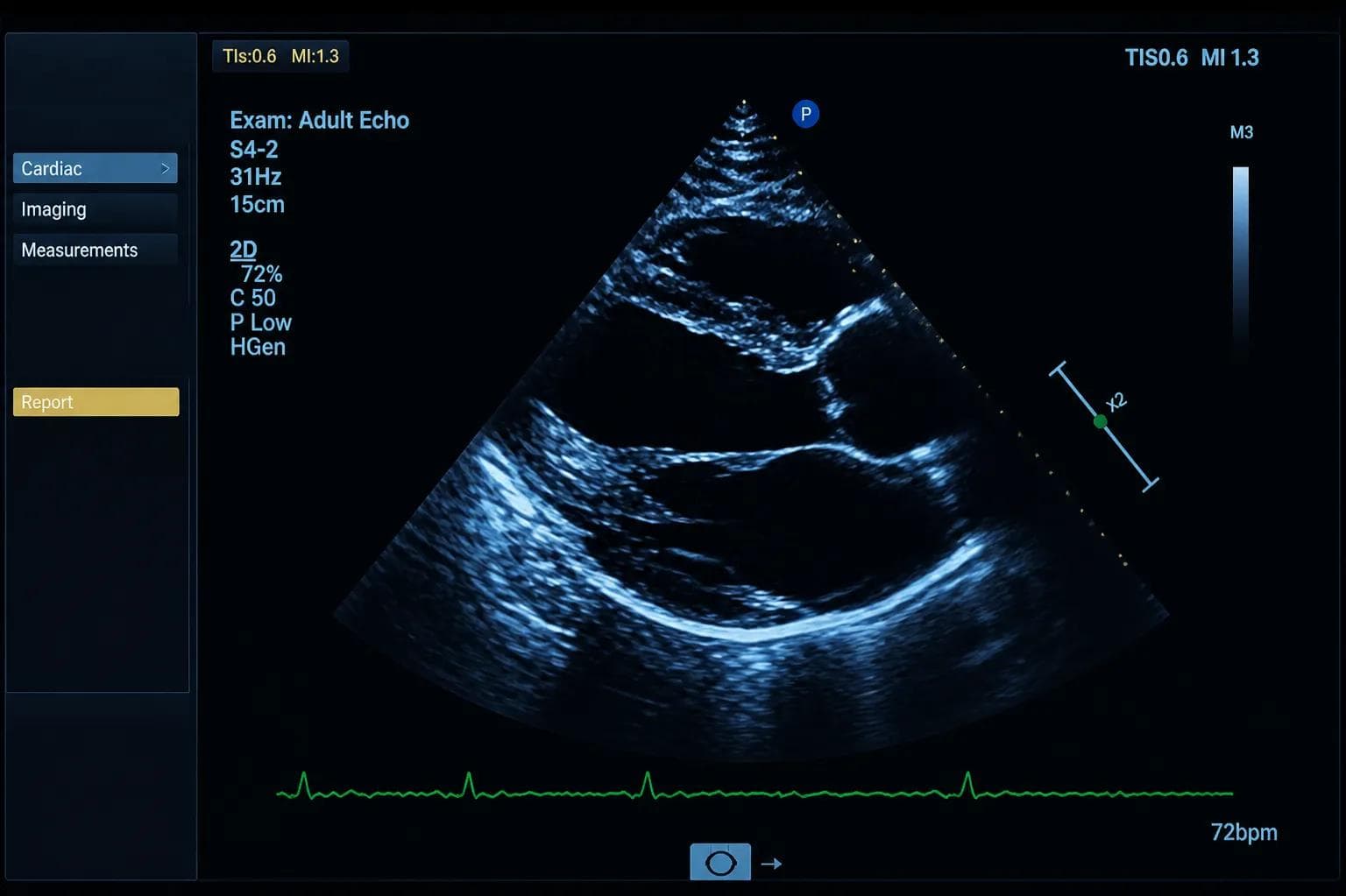
PACS stands for Picture Archiving and Communication System. In healthcare, PACS provides a digital system for storing, organizing, viewing, retrieving, and sharing medical images. PACS is commonly used with imaging modalities such as X-ray, CT, MRI, ultrasound, mammography, nuclear medicine, and PET. It can also integrate with EHR/EMR and other clinical systems to create a more connected imaging workflow.
PACS medical imaging software is a digital platform for storing, viewing, retrieving, managing, and sharing medical images and related information. A PACS typically receives images from imaging modalities such as X-ray, CT, MRI, and ultrasound using DICOM standards. Modern cloud PACS platforms can also provide secure browser-based viewing, centralized image storage, worklist management, reporting workflows, image sharing, and EHR/EMR integration.
DICOM is a medical imaging standard, while PACS is a system used to manage medical images. DICOM, or Digital Imaging and Communications in Medicine, defines how medical images and related information are formatted and exchanged between compatible systems. PACS uses standards such as DICOM to receive images from imaging equipment, store them, organize studies, and make them available for viewing and clinical workflows. Put simply, DICOM helps imaging systems communicate, while PACS manages the imaging archive and workflow.
The main function of PACS is to centralize the storage, retrieval, viewing, management, and distribution of medical images. Instead of relying on physical film or disconnected imaging systems, PACS gives authorized healthcare teams digital access to patient studies. Modern cloud PACS platforms can extend this functionality with remote access, structured reporting, worklists, secure image sharing, workflow automation, and EHR/EMR integration.
PACS systems are commonly categorized as cloud-based, on-premises, or hybrid PACS. An on-premises PACS relies primarily on servers and storage maintained by the healthcare organization. A cloud PACS uses cloud infrastructure for image storage, management, and access. A hybrid PACS combines elements of local and cloud infrastructure. PACS systems may also be designed around specific workflows such as radiology, cardiology, vascular imaging, or other specialty imaging.
A cloud-based PACS is a Picture Archiving and Communication System that uses cloud infrastructure to store, manage, retrieve, view, and share medical images. Unlike traditional on-premises PACS, which relies heavily on locally maintained servers, cloud PACS can provide secure access to imaging studies across authorized locations and devices. Modern platforms may also include worklists, structured reporting, image sharing, workflow automation, and EHR/EMR integration.
The primary difference is where the PACS infrastructure and medical imaging data are hosted and managed. An on-premises PACS typically relies on servers and storage maintained within the healthcare organization’s local environment. A cloud PACS uses cloud infrastructure for storage and application delivery, reducing dependence on local servers while supporting scalable storage, remote access, and multi-location imaging workflows.
A cloud-based PACS can provide scalable medical image storage, secure remote access, centralized imaging workflows, reduced dependence on local server infrastructure, and easier support for multiple locations. When combined with capabilities such as DICOM interoperability, EHR/EMR integration, structured reporting, worklists, and secure image sharing, cloud PACS can connect more of the medical imaging workflow within one environment.
A PACS system in a hospital is a Picture Archiving and Communication System used to store, retrieve, view, manage, and distribute medical images. It can receive studies from modalities such as X-ray, CT, MRI, ultrasound, mammography, and other imaging equipment. PACS provides clinicians and radiologists with digital access to imaging studies and can connect with EHR/EMR, RIS, reporting, and other clinical systems.
The cost of a PACS system varies based on imaging volume, storage requirements, deployment model, number of users and locations, integrations, data migration, implementation, and support. Cloud PACS solutions may use subscription, usage-based, or per-exam pricing, while on-premises systems can require additional investment in servers, storage, hardware, maintenance, and IT resources. Healthcare organizations should compare the total cost of ownership rather than software price alone.
Choosing the right PACS system starts with understanding the organization’s specialty, imaging volume, modalities, locations, clinical workflow, and integration requirements. Important capabilities to evaluate include image performance, cloud accessibility, DICOM compatibility, medical image storage, worklists, reporting, secure image sharing, EHR/EMR integration, scalability, security, implementation, and support.
Healthcare professionals use a PACS system to access, review, manage, and share medical imaging studies. An authorized user typically signs in, accesses a worklist or searches for a patient, opens the relevant study, and reviews the images using available viewing tools. Depending on the PACS, users may also compare prior studies, take measurements, document findings, complete structured reports, securely share images, and deliver finalized reports to connected clinical systems.
Yes. PACS can integrate with EHR and EMR systems to connect medical imaging with the broader patient record and clinical workflow. Integration can allow patient information and imaging orders to move into the imaging workflow while finalized reports and relevant results return to the EHR/EMR. This can reduce duplicate data entry and help healthcare teams access imaging information within a more connected workflow.
PACS and EHR/EMR systems exchange clinical and imaging information through healthcare interoperability interfaces and standards. Patient demographics, orders, and other clinical information can flow toward the imaging workflow, while completed reports and results can return to the patient’s electronic record. Standards such as HL7 and DICOM are commonly used for different parts of this exchange.
A PACS primarily manages medical imaging, while an EHR manages the broader electronic patient health record. PACS handles imaging studies, image storage, retrieval, viewing, and related imaging workflows. An EHR contains broader patient information such as medical history, encounters, medications, orders, laboratory results, and clinical documentation. Integration allows imaging information and reports to become part of the wider clinical record.
A PACS primarily handles medical images and imaging workflows, while a RIS focuses on radiology information and operational workflows. A RIS may manage scheduling, orders, patient tracking, and radiology workflow information, while PACS stores and provides access to imaging studies. Integrating these systems can help information move more efficiently through the radiology workflow.
PACS is a medical imaging system, while DICOM is a standard for medical imaging data and communication. DICOM defines how medical images and related information are formatted and exchanged. PACS uses DICOM and other technologies to receive, store, retrieve, display, and manage imaging studies.
DICOM enables imaging modalities and compatible medical imaging systems to format, identify, and exchange imaging studies in a standardized way. An imaging modality can create a DICOM study and transmit it to PACS. The PACS then stores, organizes, retrieves, and displays the study for authorized users. This standardization helps imaging equipment and PACS platforms communicate across medical imaging workflows.
A Cardiology PACS is a Picture Archiving and Communication System designed to manage cardiovascular imaging studies and related clinical workflows. It provides centralized storage, viewing, retrieval, reporting, and sharing of cardiovascular imaging data. Cardiology PACS can support studies such as echocardiography while connecting images, measurements, structured reports, physician review, and EHR/EMR workflows.
The purpose of a PACS system in cardiology is to centralize cardiovascular images and connect them with clinical review and reporting workflows. Instead of managing images, measurements, and reports across disconnected systems, a cardiology PACS provides a central environment for accessing studies, reviewing images, comparing previous exams, documenting findings, and completing reports.
A Cardiology PACS receives imaging studies and associated data from connected cardiovascular imaging modalities and makes them available within a centralized workflow. After a study such as an echocardiogram is completed, images and available measurements can route to the PACS. The clinical team can review the study, complete structured documentation, and finalize the report. Integrated systems can then return finalized information to the EHR/EMR.
A Cardiology PACS should provide capabilities that support both cardiovascular imaging and efficient clinical reporting. Important features can include fast image access, DICOM interoperability, cloud storage, browser-based viewing, centralized worklists, structured reporting, measurement workflows, physician review, secure image sharing, and EHR/EMR integration. Practices should also evaluate scalability, security, multi-site access, and compatibility with existing modalities.
Yes. A Cardiology PACS can integrate with EHR and EMR systems so patient information, imaging workflows, and finalized reports can move between connected clinical systems. Integration can reduce manual transfer of information between imaging and patient-record systems. Standards such as DICOM and HL7 can support the exchange of imaging and clinical information, depending on the systems involved.
A general PACS manages medical imaging across modalities, while a Cardiology PACS provides workflows specifically suited to cardiovascular imaging and reporting. Cardiology workflows may require specialty-specific measurements, structured findings, longitudinal study comparison, reporting tools, and integration with cardiovascular imaging modalities while retaining the core image storage, retrieval, viewing, and sharing capabilities of PACS.
Cardiology PACS pricing depends on factors such as annual exam volume, storage, users, locations, integrations, implementation, data migration, and reporting requirements. Cloud PACS may use subscription, usage-based, or per-exam pricing, while on-premises systems can involve additional infrastructure and maintenance expenses. Practices should compare the total cost of ownership, including storage, implementation, integration, support, migration, and upgrades.
No. AizaMD works alongside your existing EHR — capturing and structuring documentation, then syncing signed notes back in, without replacing your system of record.
No. AizaMD handles documentation. Imaging workflow lives in MedIQ, and CEAP + VCSS clinical automation for vein workflows is supplied by VeinIQ when paired together.
Yes. Every AI-drafted note is fully editable before a clinician reviews and signs it — nothing is finalized without clinician approval.
AizaMD is purpose-built for specialty documentation and supports a growing set of specialties; deployment timelines vary with your current EHR and workflow.
Yes. AizaMD follows modern healthcare IT security and privacy protocols to keep patient data protected throughout capture, documentation, and EHR sync.
AizaMD seamlessly integrates by embedding into your existing clinical workflow, minimizing disruption and enhancing efficiency with smart documentation tools.
Minimal training is needed; our intuitive interface and onboarding support ensure clinicians can start using AizaMD confidently within days.
Yes. AizaMD is optimized for both in-person and telehealth consultations, capturing detailed documentation regardless of visit modality.
Currently, AizaMD supports English with plans to expand to additional languages based on client demand and regional requirements.
Absolutely. AizaMD is compliant with HIPAA, GDPR, and other relevant healthcare regulations to ensure patient privacy and legal adherence.
Yes. Users can create and customize documentation templates tailored to their specialty and practice preferences for consistent note-taking.
MedIQ is a vendor-neutral cloud PACS, so it accepts any study your devices can send in DICOM format. That includes echocardiography, general and vascular ultrasound, X-ray, CT, MRI, nuclear medicine, fluoroscopy, angiography and IVUS. ECG and stress test results can also be brought in as documents. All of these live in one patient record, so your team can review, report and share every study type from the same place instead of switching between systems.
MedIQ does not depend on a specific manufacturer. If a device can send DICOM images, it can send them to MedIQ. For measurement-driven reporting, the device also needs DICOM Structured Report (SR) output turned on, which most modern ultrasound systems support. During onboarding our team reviews each device you use, confirms its settings and maps its measurement names into your report templates, so mixed fleets of older and newer machines work together.
There is no on-site server to buy or maintain. We install a lightweight gateway utility on an existing Windows computer at your location. It runs in the background, receives studies from your imaging devices and sends them securely to the cloud. You can keep using that computer for other work. Viewing and reporting happen in a web browser, so physicians and staff do not need any special workstation software.
Each imaging device is configured to send completed studies to the MedIQ gateway on your network. The gateway picks up the images, cine loops and any structured measurement data, then transfers them securely to the cloud. Within moments the study appears on the worklist, ready for review. Nobody needs to export files, burn discs or move USB drives, and the process is the same for every device you connect.
Because MedIQ is a cloud PACS with a zero-footprint viewer, there is nothing to install and no VPN to set up. A physician can sign in from home, a hospital office or a second clinic and see the same worklist and studies as the team on site. Studies stream on demand rather than downloading to the device. This is especially useful for practices with physicians who split time between locations or read remotely on certain days.
From any study in MedIQ you can create a secure share link and choose whether to include images only or images plus the report. The recipient opens the link in a browser on a phone, tablet or computer, with no account or software needed. This replaces burning and mailing CDs or DVDs, speeds up referrals and second opinions, and saves front desk time when patients request copies of their imaging.
A MedIQ share link on its own does not open the study. The recipient must also enter a patient identifier, such as the patient's date of birth, which acts as a second check before any protected health information is displayed. The recipient sees the study in a view-only viewer and cannot change your data. Sharing activity is recorded, so you have a record of what was shared and when.
New patients often arrive with imaging from another provider. Your team can upload those outside studies into MedIQ and attach them to the correct patient. Once imported, they sit alongside your own exams, so physicians can compare current and prior findings without juggling discs or separate viewers. Imported studies are stored and protected the same way as studies acquired in your office.
Every study for a patient is listed together, whether it was acquired in your office or imported from elsewhere. Physicians can open a prior exam next to the current one and compare images and findings before signing. This longitudinal view helps track disease progression, response to treatment and post-procedure changes, and reduces the risk of reading a study without important history.
Switching PACS should not mean losing years of patient history. During onboarding we review where your current studies are stored and plan a migration into MedIQ. Migrated studies are linked to the right patients, so your physicians keep the longitudinal view they rely on. Talk to your onboarding specialist about the scope and timing of a migration for your practice.
Practices with several sites, departments or reading groups can set up each one as its own unit in MedIQ. Administrators decide which users can see which units, so a physician can be limited to the studies they read while practice leadership sees everything. Studies can also be routed and assigned to specific readers automatically, which keeps worklists clean as you add locations.
MedIQ uses individual credentials for every user, so there are no shared logins. Your practice administrator decides which locations, studies and actions each user has access to, such as viewing, editing measurements, signing reports or sharing studies. Access can be updated or removed at any time, for example when staff change roles or leave the practice.
Every meaningful action in MedIQ is tied to a named user and a time stamp. If a sonographer enters a measurement and a physician later changes it, both actions are recorded. This audit trail supports compliance reviews, payer inquiries and internal quality programs, and it gives practice leaders confidence that every report can be traced back to the people who produced it.
When a finding needs support, the reader can select key images and include them in the report. This gives referring physicians a clearer picture and gives payers the documentation they look for when reviewing a claim. Complete, well-supported reports reduce back-and-forth with payers and help your team defend the medical necessity of a study.
You do not have to adopt an unfamiliar report layout. During onboarding, share de-identified examples of your current reports and our team will build matching templates, or recommend a close match from our template library. You can include your logo, choose which sections appear and decide how findings and conclusions are worded. Templates can be adjusted later as your preferences or guidelines change.
With an EHR interface in place, orders and patient demographics from your schedule are sent to MedIQ and published as a modality worklist. The technologist simply selects the patient on the ultrasound or imaging device instead of typing names and dates of birth. That removes manual entry errors, keeps patient identifiers consistent from order to final report and saves time at the start of every exam.
MedIQ shows the status of every study, from new to preliminary to signed. Administrators can set notification rules, for example to remind a reader when studies have been waiting longer than your practice allows. This is especially helpful when physicians read remotely or across several sites, and it helps keep report turnaround predictable for referring providers.
MedIQ works in any modern browser, including on phones and tablets. That makes it easy to glance at a study when a sonographer or colleague asks for a quick opinion. For final reads and signed reports, we recommend a desktop or laptop display so images can be reviewed at full detail and in line with your practice's reading standards.
Mobile imaging providers, such as mobile ultrasound or nuclear services, can run the MedIQ gateway on a laptop that travels with the equipment. Wherever you set up for the day, studies upload to your own MedIQ account. That keeps you in control of the images you acquired, and you can give each client facility or reading physician access to only the studies that belong to them.
Studies, reports and patient data in MedIQ belong to your practice. We store and protect them on your behalf. Keeping your own archive also protects you from relying on another facility's PACS for studies your team performed.
ClinicalOS connects the systems your practice already uses. It links your PACS, your EMR and AI engines so imaging, clinical data and results move across them without manual re-entry. By reducing fragmentation between systems, ClinicalOS improves care coordination and supports more connected, value-based care. It is the connectivity layer behind SARC MedIQ's integrations with EHRs, imaging devices and AI tools.
ConnectIQ is now called ClinicalOS. The new name reflects its broader role: connecting PACS, EMR and AI engines into one workflow, not only moving images between systems. If you see ConnectIQ in older materials, agreements or support articles, it refers to the same product. Existing integrations continue to work as before.
SARC MedIQ integrates with all major EHR and EMR systems, including athenahealth, eClinicalWorks and others. If your EHR is not on our list, it is usually just a matter of an introduction, and our team is happy to work with your EHR vendor to set up the connection. Tell us which EHR you use and we will explain what flows in each direction.
HL7 is the standard healthcare systems use to exchange clinical messages. With an HL7 interface, orders and demographics from your EHR flow into MedIQ to build the worklist, and signed results flow back to the EHR, including the report document when your EHR supports it. This removes duplicate data entry, keeps patient identifiers consistent and makes results available where your clinicians and billing team already work.
EHR interfaces depend partly on your EHR vendor's schedule, which can take longer than the PACS setup itself. You do not have to wait. Your team can start storing, reading and sharing studies in MedIQ right away, with patient details entered on the imaging device. Once the interface is live, worklists and result delivery switch over to automatic.
Once a report is finalized and signed in MedIQ, ClinicalOS sends it to the matching patient and order in your EHR. Depending on the EHR, the result arrives as a structured result, a report document or both. Your clinicians see it in the chart they already use, and your billing team can act on it without anyone printing, scanning or re-typing the report.
Many practices use or evaluate AI tools from several vendors. ClinicalOS is built to route imaging and clinical data to AI engines and bring their results back into your existing workflow, instead of adding another separate screen. Whether a specific third-party tool can be connected depends on how that tool accepts and returns data, so share the details with our team and we will review it.
An interface has two sides. SARC MedIQ configures and tests our side, and your EHR vendor typically has to enable the connection on theirs. Starting the request with your EHR vendor early is the best way to keep your go-live on schedule. Our team will give you the specifications your vendor needs and coordinate testing with them.
Cardiology practices often run ECG and treadmill stress systems from different vendors. MedIQ can receive those results, such as PDF reports sent through HL7 messages, and store them with the patient's imaging. Some devices package documents in less common formats, and our team reviews each one during onboarding to confirm the best connection method.
Value-based care depends on the whole care team seeing the same information. ClinicalOS reduces fragmentation between PACS, EMR and AI tools, so results reach referring physicians faster, prior studies are not lost and repeat imaging is less likely. That connected record supports better coordination across locations and providers, which is central to value-based contracts.
Growing practices often inherit different equipment and systems at each location. ClinicalOS connects them so studies from every site arrive in one place, are routed to the right readers and send results back to the right EHR. Leaders get a consolidated view of activity without forcing every site to change its devices on day one.
CardioIQ reads echocardiography images in the cloud after the study arrives. It identifies views, performs measurements, flags missing or low-confidence items and highlights values outside guideline reference ranges. It then drafts findings and conclusions in line with ASE guidelines. The physician reviews, edits where needed and signs, so clinical judgment always stays with your team.
The pre-read summary is the first screen after analysis. It shows which required views are missing, which measurements still need to be taken, which AI measurements have lower confidence because of image quality, and which values fall outside guideline ranges. From there, users can filter to just the items that need attention or open expert mode to see every measurement alongside the images.
Analysis starts automatically as soon as the echo study uploads to MedIQ. Results are usually ready within a few minutes, often before the sonographer has finished documenting the exam. That timing lets the team catch missing views or measurements while the patient is still in the room instead of discovering gaps later.
Strain analysis is often sold as an optional package for each ultrasound system. CardioIQ performs strain analysis on the images in the cloud, including bullseye displays and segmental tracings, on studies from all leading ultrasound manufacturers. Practices with mixed equipment can offer strain consistently, and physicians can adjust the tracings before results go into the report.
CardioIQ is a decision-support tool, not an autopilot. Clicking a measurement opens the exact image and annotation it came from. The reader can move calipers or tracings, accept a different value or reject the measurement entirely. Findings and conclusions update to reflect the change, and the edit is recorded in the audit trail.
In expert mode, CardioIQ lists its own measurements in one column and the measurements taken on the ultrasound machine in another. The reader can compare them at a glance, select the value they agree with and see the source image for either. Where the AI measured several cardiac cycles, the reader can choose which ones to include and the average is calculated automatically.
CardioIQ compares measurements with ASE reference ranges and uses guideline logic to suggest findings such as chamber size, wall thickness, systolic and diastolic function and valve assessments. Practices can adjust which findings are included automatically and how they are worded. As guidelines are updated, we update the logic so your reports stay current without retraining your team.
CardioIQ prepares the measurements, findings and conclusions so the physician starts from a complete draft instead of a blank form. Nothing is finalized automatically. The interpreting physician reviews each section, makes changes, adds custom text if needed and signs. This keeps responsibility and clinical judgment with the physician while removing much of the repetitive work.
Sonographers can open the CardioIQ summary while the exam is in progress. It lists the views and measurements still needed for a complete study, so gaps are caught at the bedside instead of after the patient has gone home. Sonographers spend less time on repetitive measurements and more time acquiring good images, which is where their skill matters most.
An incomplete echo can mean bringing the patient back, disrupting the schedule and repeating work that may not be reimbursed. Because CardioIQ checks completeness while the patient is still in the room, sonographers can capture what is missing right away. Fewer repeat visits means a smoother schedule, happier patients and more capacity for new exams.
Cardiology practices can manage their full imaging workload in MedIQ. Alongside echocardiography, that includes nuclear cardiology and stress testing, ECG documents, carotid and peripheral vascular ultrasound, cardiac CT and MRI, and cath lab and IVUS runs. Each study type has its own reporting templates, and all of them are stored together in the patient's record.
Nuclear stress reports in MedIQ include sections for indications, protocol, heart rate and blood pressure response, reasons for stopping, stress ECG findings and rest and stress perfusion results by segment. The stress ECG tracing can sit with the images, and templates are fully customizable. Rule sets can complete standard language automatically so readers focus on the findings that matter.
CardioIQ works with echo systems from major manufacturers. During onboarding we confirm that each machine can send DICOM images and that Structured Report (SR) output is enabled so measurements taken on the cart come across as data. Older systems may need a setting change or software update, and our team will tell you exactly what is needed before go-live.
When a sonographer takes measurements on the ultrasound machine, those values can be exported as a DICOM Structured Report (SR). MedIQ reads the SR and places each measurement in the right report field. Without SR, measurements exist only as numbers burned into images and must be retyped. Turning SR output on is one of the most important setup steps for automated reporting.
Rule sets let you save the logic you already use when reading. For example, a normal echo rule set fills in standard normal language for each section, while any measurement outside the reference range triggers the matching abnormal finding instead. Readers apply the rule set, review the result and adjust as needed, instead of clicking through every section by hand.
You do not need to adopt everything on day one. New and smaller practices often begin with MedIQ for storage, reporting and sharing, then turn on CardioIQ when exam volume makes automated analysis worthwhile. Because both run on the same platform, adding CardioIQ later does not mean a new system, a new viewer or a migration.
Vascular labs can store, review and report the full range of vascular ultrasound studies in MedIQ, including carotid duplex, lower and upper extremity arterial and venous studies, abdominal aorta and renal artery exams. Measurements from the ultrasound system flow into the report, and templates can be configured to match how your physicians document findings and impressions.
For vascular ultrasound today, AI works on the measurements your sonographer acquires. It applies criteria and rules to suggest findings and impressions, which cuts repetitive documentation in studies with many measurements.
Vascular reports can vary a lot between staff members. In MedIQ, your lab defines its templates, diagnostic criteria and standard language once, and every sonographer and reader uses the same setup. Consistent reports are easier for referring physicians to read, easier to review internally and better aligned with the documentation expectations of payers and accrediting bodies.
Carotid and arterial reports involve many measurements that map to well-defined criteria. A rule set applies those criteria for you, so the measured values are translated into the appropriate findings and impressions in one step. The reader reviews and edits the result rather than selecting each finding by hand, which saves time on every study.
When a surgeon or referring provider needs to see a vascular study, your team can send a secure link to the images and report in seconds. Physicians who work with you regularly can also have their own MedIQ login, limited to the studies they need. Either way, there is no disc to burn and no delay in getting imaging to the person planning treatment.
Vascular labs and reading groups often cover hospitals, offices and outpatient labs. With MedIQ and ClinicalOS, each facility can send studies to your account, be organized as its own unit and receive results back in its own system. Your readers see one combined worklist, and each facility sees only its own studies.
VeinIQ helps vein practices document venous insufficiency studies quickly and consistently. It uses rule sets designed for vein care to identify reflux, record treated or ablated segments, and build impressions automatically from the sonographer's findings. The result is a clear, organized report that supports treatment planning and payer review, with the physician signing off on every report.
Rule sets capture your practice's logic for different situations. For a new patient you might apply a pre-treatment rule set, and for a patient with prior ablation a post-treatment rule set. Once applied, VeinIQ fills in findings and impressions, highlights segments with reflux and records treated veins. The reader reviews the draft and finalizes it.
Insurers reviewing vein treatment requests want to see quickly which veins reflux, what has been treated and which tributaries are involved. VeinIQ can emphasize those findings and keep the summary section focused on what matters for medical necessity, while the full detail remains available below. Clear, consistent documentation helps reduce questions during prior authorization.
Many vein specialists rely on a hand-drawn map to guide treatment. In VeinIQ, sonographers or physicians can draw directly on a leg diagram using a tablet, marking reflux, perforators and treated segments. The map is saved with the study and included in the report, which replaces paper charts that have to be scanned or filed separately.
Follow-up studies after ablation have different documentation needs from initial evaluations. VeinIQ's post-treatment rule sets record which segments were treated, how they appear now and whether reflux remains in other veins. Because prior studies are stored with the patient, readers can compare pre- and post-treatment findings in the same place.
Every vein practice has its own preferences for criteria, terminology and report layout. During onboarding our team configures VeinIQ rule sets and templates to match them, and you can create additional rule sets as your workflow evolves. That way the automation reflects your clinical approach rather than forcing a generic one.
Wound care notes involve many details that are tedious to type. In AizaMD you say a trigger phrase to open a wound template, then describe the wound naturally, including location, size, appearance and pre- and post-debridement findings. AizaMD places each detail in the right part of the note. You can customize the template to match how you document wounds.
Foot and ankle visits often wait on imaging. In AizaMD you can pause a note while the X-ray is taken, move on to your next patient and come back to add the findings. Saying a trigger phrase such as "insert template X-ray report" adds a structured X-ray section with views and impressions to the same note before you sign it.
After each encounter AizaMD proposes ICD-10 codes based on what was discussed and documented, such as hammertoe, plantar fasciitis or diabetic foot ulcer. You select the codes you agree with before sending the note. You can also give AizaMD a preferred code list so suggestions match the codes your practice uses most.
Podiatry practices can send in-office X-ray and ultrasound studies to MedIQ, where they are stored securely and available from any computer. Outside imaging can be imported too. Studies can be shared with patients, surgeons or referring providers through a secure link, so nobody has to burn a disc or print films.
Orthopedic practices can keep in-office X-rays together with MRI and CT studies from imaging centers in MedIQ. Surgeons can review images from the clinic, the surgery center or home, compare them with prior studies and share them with patients or colleagues. There is no local server to maintain, and storage grows with your practice.
Patients often want to see their imaging, and therapists or second-opinion surgeons may need it too. From MedIQ you can send a secure link to the study, which the recipient opens in a browser after entering a patient identifier. It is faster than burning discs, easier for patients and keeps a record of what was shared.
Orthopedic visits combine history, a focused musculoskeletal exam, imaging review and a treatment plan. AizaMD listens to the visit or your dictation and organizes it into a structured note, with templates you can customize for common visit types. You review and sign the note, and it syncs to your EHR.
Surgical consults often depend on imaging done elsewhere. Your staff can import outside studies into MedIQ ahead of the visit and attach them to the patient, so the surgeon can review everything in one viewer. Imported studies stay in the record for future visits and comparisons.
For in-office procedures such as joint or trigger point injections, you can describe the procedure, medication, site and patient response, and AizaMD adds it to the note. Saved templates make sure required details are included every time. AizaMD suggests diagnosis codes, and you confirm codes and any procedure details before sending the note to your EHR.
Interventional pain procedures generate fluoroscopy images that document needle placement and contrast spread. MedIQ can receive these images from your C-arm or fluoroscopy system, store them securely and make them available for review, reporting and sharing. Keeping procedure images with the patient's record supports documentation and follow-up care.
Pain medicine combines detailed history taking, medication management and interventional procedures. AizaMD turns your conversations and dictation into structured notes, and procedure templates help keep required details consistent. You review every note before signing and syncing it to your EHR.
Referring physicians and other specialists can receive a secure link to procedure images or diagnostic studies in seconds. They open it in a browser, without installing software or creating an account. This keeps the care team informed after procedures and avoids mailing discs or printed images.
Many injections are performed under ultrasound guidance, and saving the images supports documentation of the procedure. Your ultrasound system can send those images to MedIQ, where they are stored with the patient's other studies and can be included with the procedure documentation or shared with other providers when needed.
Prior authorizations often depend on showing history, failed conservative treatment and imaging findings. AizaMD helps physicians capture those details in each note, and MedIQ keeps related imaging in the same patient record. While approval always rests with the payer, organized and complete documentation reduces requests for more information.
MedIQ accepts obstetric and gynecologic ultrasound studies from any vendor's equipment. Images and measurements flow in from the ultrasound system, report templates can be configured for your practice and studies are available to physicians from any browser. Prior studies stay together in the patient record, which makes comparisons across a pregnancy straightforward.
Guideline-based report completion is available across specialties, including OB/GYN. Measurements sent from the ultrasound system populate the report, and rule sets apply your practice's criteria to suggest findings. Physicians review and finalize every report, and templates can be adjusted to your documentation preferences.
Patients often want to keep or share copies of their ultrasound images. Instead of printing or burning discs, your team can send a secure link from MedIQ that the patient opens after entering a personal identifier. Your practice decides which studies and images to share, in line with your own clinical policies.
Multi-site OB/GYN groups can connect each clinic's ultrasound systems to one account. Studies are organized by location, physicians can read from any site and patient history follows the patient if they are seen at a different clinic. ClinicalOS connects the account to your EHR so results reach the right chart.
During a visit you can talk naturally with your patient. AizaMD recognizes what is clinically relevant, such as symptoms, history, exam findings, assessment and plan, and organizes it into the note. Casual conversation and background noise are left out. The full transcript is kept with the note, so you can check the source of anything in the draft.
Some clinicians prefer AizaMD running during the visit, while others dictate a quick summary once the patient has left. Both work. AizaMD turns either recording into a structured SOAP note with suggested codes. Many physicians use the live mode for new patients and dictation for straightforward follow-ups.
Visits are not always continuous. You might wait for an X-ray, step out for a call or see another patient in between. AizaMD lets you pause the recording and resume it later in the same encounter. When you stop, everything captured is combined into a single note.
If something needs to be added or corrected, choose the option to regenerate with additional information and say what should change, such as an extra diagnosis or a revised plan. AizaMD rewrites the affected sections in seconds. You can also type edits directly. Nothing is sent to the EHR until you approve it.
With Care Team Connect, you share your schedule with your medical assistant or other team members. The MA can start recording the intake, including reason for visit, history and review of systems. When you see the patient, you continue the same encounter. AizaMD combines both parts into one structured note under your name for review and signature.
A snippet is a reusable block of structured text with blanks to fill in. You trigger it by saying a phrase, for example "insert template X-ray report", then dictate the details. AizaMD fills the blanks and places the section in the right part of the note. You can use the included snippets or create your own for the procedures and findings you document most often.
Most practices rely on a familiar set of diagnosis codes. In AizaMD's coding settings you can add your preferred ICD-10 list, and suggestions will draw from it first. You still choose which codes to include before sending the note, so coding decisions stay with you.
Alongside suggested ICD-10 codes, AizaMD lets you select the evaluation and management (E&M) code for the visit before the note is sent to your EHR. Depending on your EHR, the selected codes are placed with the encounter so your billing team can review them. Final coding decisions always rest with the clinician and your practice's coding policies.
You can use AizaMD on a phone or tablet in the exam room, or on a laptop or desktop through a web browser. There is no desktop software to install and no minimum Windows version. Your schedule and notes are the same across devices, so you can start a note on your phone and review it on your computer.
Traditional dictation turns speech into text that you still have to organize and edit. AizaMD understands the clinical content of a conversation or dictation and organizes it into subjective, objective, assessment and plan, adds templates where you call for them and suggests diagnosis codes. Clinicians used to dictating usually find the switch easy because the habit of speaking the note stays the same.
AizaMD captures and structures the visit automatically, which covers much of the work a scribe does. Some practices use it to replace scribe coverage, while others use it to support providers who do not have a scribe. Either way, the physician stays in control of the final note, and documentation is available for every visit rather than only when a scribe is scheduled.
When AizaMD is connected to your EHR, each day's schedule appears automatically along with key details such as active problems and medications. For returning patients you can also preview previous AizaMD notes. Having this context before the visit helps you walk in prepared and keeps the note consistent with the patient's history.
OB/GYN physicians often split their day between clinic, hospital and on-call duties. With MedIQ, ultrasound studies are available in a secure browser-based viewer wherever the physician is signed in, with prior studies from the same patient alongside. Physicians can review, report and sign without waiting to get back to a specific workstation.
When we release new features or make meaningful changes to how the platform works, we let customers know ahead of time, so physicians and staff know what to expect. Because SARC MedIQ runs in the cloud, new features become available to your team without any installation work on your side.
Every practice has a different mix of specialties, locations, devices and integrations, so we prepare quotes individually. Book a demo through our website and tell us about your study volume, equipment and EHR. After the demo we will send a quote and a customer agreement you can review with your team before making a decision.
SARC MedIQ is not a billing service. Our products produce complete reports and notes, suggest diagnosis codes and send everything to your EHR or practice management system. Your billing team or billing company then submits claims as they do today. Thorough, consistent documentation supports their work, but billing decisions stay with your practice.
Most practices grow after they start with us. When you open a new location, add an imaging device or hire new staff, contact your account team and we will configure the new site or device, set up user accounts and provide training. You do not have to plan every location in advance to get started.
For questions about invoices, agreements, adding products or changing your account, reach out to our support team by phone or email. They will route your request to the account team and follow up until it is resolved. Your practice will also have a named point of contact after onboarding.
Protecting patient information is central to how SARC MedIQ is built and operated. The platform uses encryption, individual user access, permissions and audit logs, and our team follows HIPAA requirements for handling protected health information. Every customer relationship is covered by a Business Associate Agreement (BAA).
If you want to send sample reports or test studies with real patient data, we will put a Business Associate Agreement in place first. That way your practice is covered from the very first exchange of protected health information. You can sign the BAA separately from the customer agreement.
Your studies, reports and notes are hosted in a secure, enterprise-grade cloud environment with 99.99% uptime, so your team can count on access when patients are waiting. Because everything runs in the cloud, there is no server in your office that could be damaged, stolen or left unpatched, and your data is accessible to authorized users from anywhere.
Independent security frameworks give practices assurance beyond a vendor's own statements. SARC MedIQ is SOC 2 compliant and TX-RAMP compliant, which is required for many organizations working with Texas state agencies, in addition to HIPAA compliance. Our team can share security documentation during your evaluation.
MedIQ uses a zero-footprint viewer, which means studies are streamed to the browser for viewing and are not stored on the computer, tablet or phone. If a device is lost or stolen, patient images are not sitting on it. The gateway at your site only passes studies through to the cloud.
After your agreement is signed, our team installs the gateway, connects your devices, configures templates and trains your staff. For a single location this usually takes a few weeks, depending on how quickly devices and staff are available. Multi-site groups and EHR interfaces that depend on your EHR vendor can take longer, and we will give you a plan with clear milestones.
To get you live quickly, we will ask for a list of imaging devices and their locations, remote access to a computer on your network for the gateway, sample reports you want to match and contact details for your IT support and EHR vendor. A practice champion who can answer workflow questions also speeds things up.
Our support team runs live, interactive online training sessions for physicians, sonographers and administrators, followed by close support during your first weeks. Most practices find this works as well as being on site. If you prefer in-person training, ask your account team about scheduling an on-site visit.
Staff change over time, and new hires need to learn the system too. Contact our support team and we will schedule training for new staff or refresher sessions for existing users. That keeps everyone using the platform the same way and makes it easier to grow your team.
Most setup work is handled by our team. Your IT support may need to confirm network access for the gateway computer, allow outbound connections to the cloud and help point imaging devices to the gateway. Our team provides the details in advance and works with your IT contact directly.
Most missing-study issues come from the gateway computer being turned off, asleep or disconnected from the network, or from a device sending to the wrong destination. Make sure the gateway computer is on and online, then resend the study from the device. If it still does not appear, contact support with the patient and exam time and we will trace it.
The modality worklist shows patients whose orders have reached MedIQ from your EHR. If a patient is missing, check that an order was placed for the correct study type and date, and refresh the worklist on the device. If no patients appear at all, the device may not be reaching the gateway, and our support team can check the connection with you.
Shared links ask for a patient identifier, such as date of birth, before showing the study. Most access problems come from entering it in a different format. Ask the recipient to check the format shown on the screen and to use a current version of Chrome, Edge or Safari. If it still fails, you can create a new link from the study or contact support.
Measurements reach the report through DICOM Structured Report (SR) data. If none appear, SR output may be turned off on the device or not included when the study is sent. If only some are missing, the measurement name may need to be mapped to a report field. Our support team can check both and update the mapping for you.
In AizaMD, notes marked in progress have been generated but not yet sent, and notes marked completed have been sent to your EHR. If a note is still in progress, open it and select send to EHR. If it shows completed but is not in the chart, check that the encounter exists in your EHR and contact support so we can review the integration.
Because SARC MedIQ is cloud-based, new features, improvements and security updates are delivered centrally. You do not need to schedule installations on local servers or workstations. We let customers know about significant changes in advance so your team is prepared.
Professional societies update reporting guidelines from time to time. When that happens, we update the relevant templates, reference ranges and AI logic in the platform. Your practice keeps its custom wording and layout, and we let you know what changed so physicians can review it.
Many SARC MedIQ features came from requests by physicians and sonographers. If something would make your workflow easier, share it with your SARC MedIQ contact. We review requests regularly and follow up when a requested feature is planned or released.
In imaging practices, much of each exam is spent on measurements, clicks and report building after the images are acquired. When CardioIQ and rule sets handle that repetitive work, sonographers finish each study sooner and physicians review complete drafts instead of starting from scratch. That time can be used to add exams, reduce backlogs or end the day on time.
Many denials happen because documentation is incomplete or inconsistent with the billed service. SARC MedIQ helps by flagging missing measurements, applying guideline-based findings, letting readers attach key images and keeping reports consistent across staff. Payers make the final decision, but stronger documentation gives your billing team a better case.

ASK THE NEXT QUESTION
Share your question, if you didn't find what you were looking for.